1
Chapter 15 Activity Codes
189
Examples of Activity Code calls
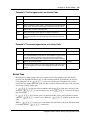
During an active call, each time an agent enters an Activity Code, the time up to that point is
recorded with the Activity Code entered. The start time is either when the agent answers the call
or, if the agent has already entered an Activity Code, when the agent enters the last Activity Code.
The time period for the final Activity Code entry (after the call ends) covers the time up to when
the call ends.
Example 1: The agent enters Activity Codes during the call
Time
Activity
Peg time
9:00
Start of call
9:05
Agent enters Activity Code 1
5 minutes
9:08
Agent enters Activity Code 2
3 minutes
9:10
End of call
9:12
Agent enters Activity Code 3
2 minutes
If the agent enters multiple Activity Codes during one
·‚‡ session, Avaya NES
Contact Center allocates the talk time to all the Activity Codes that the agent enters. For example,
if an agent presses
·‚‡ once, after the call ends, the total time of the call is allocated
to all the Activity Codes the agent enters. The count is increased for each Activity Code the agent
enters.
Example 2: The agent enters Activity Codes after the call
Time
Activity
9:00
Start of call
9:10
End of call
9:11
Agent enters Activity Codes 1,2,3
Peg time
10 minutes
Activity Codes Avaya NES Contact Center automatically
enters: Autopegs and System Activity Codes
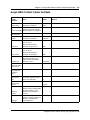
Avaya NES Contact Center has two types of Activity Codes it can automatically enter:
•
•
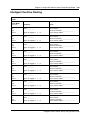
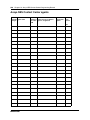
Autopegs. See “Autopegs” on page 190.
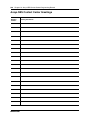
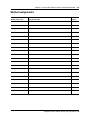
System Activity Codes. See “System Activity Codes” on page 191.
Intelligent Contact Center Set Up and Operation Guide