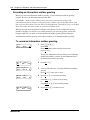
1
96
Chapter 10 Off-premise Message Notification
8
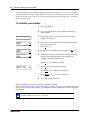
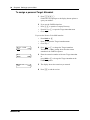
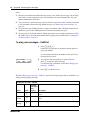
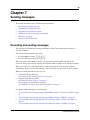
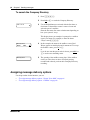
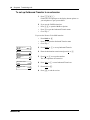
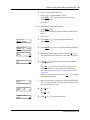
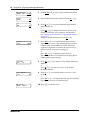
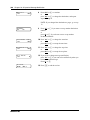
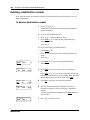
Press AM or ⁄
or
Press PM or ¤.
9
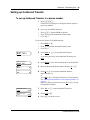
Press OK or £ to accept the start time.
<start time>
RETRY
AM
PM
<start time>
RETRY
OK
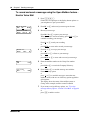
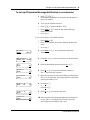
Stop hhmm:
RETRY
OK
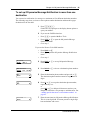
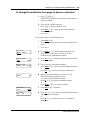
10 Enter the time when Off-premise Message Notification is
to stop. This is a four-digit field. You must precede a
single-digit hour and minute with a zero.
<stop time>
RETRY
AM
PM
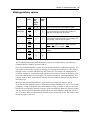
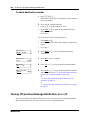
11 Press AM or ⁄
or
Press PM or ¤.
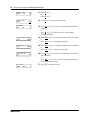
<stop time>
RETRY
OK
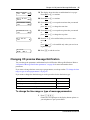
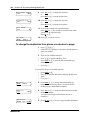
12 Press OK or £ to accept the stop time.
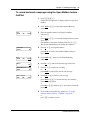
More dest?
YES
NO
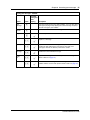
13 Press YES or ⁄ to set up another destination number.
Notify2: none
SETUP
NEXT
14 Press SETUP to set up another destination number.
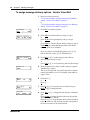
Destination:
PHONE EXT PAGER
15 Press PAGER or ‹ to select a pager number destination.
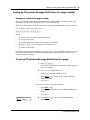
Pager:
RETRY
OK
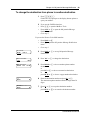
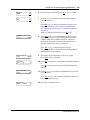
16 Enter the destination pager number and press OK or £.
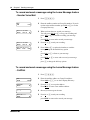
<xxxx>
ADD
OK
Show<xxxx>
CHNG
NN40170-100
NEXT
17 Press OK or £ to accept the destination pager number
represented by <x>
or
press ADD or ¤ to add special characters and use your
dialpad or follow the voice prompts to add characters. See
“Adding special characters to a destination number” on
page 81.
After you add special characters, press OK or £.
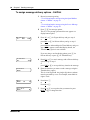
18 Press NEXT or £ to accept the default pager message
represented by <xxxx>. The default pager message that
CallPilot sends is the CallPilot extension. This is the
sequence of digits that is sent after the pager service is
dialed, to notify you of who is paging you
or
press CHNG or ⁄ to change the pager message.
The combined limit is 30 characters for the pager phone
number and the pager message.