1
DO NOT throw the motherboard in municipal waste. This product has been designed to
enable proper reuse of parts and recycling. This symbol of the crossed out wheeled bin
indicates that the product (electrical and electronic equipment) should not be placed in
municipal waste. Check local regulations for disposal of electronic products.
DO NOT throw the mercury-containing button cell battery in municipal waste. This symbol
of the crossed out wheeled bin indicates that the battery should not be placed in municipal
waste.
About this guide
Audience
This user guide is intended for system integrators, and experienced users with at least basic
knowledge of configuring a server.
Contents
This guide contains the following parts:
1.
2.
Chapter 2: Hardware setup
3.
Chapter 3: Motherboard information
4.
Chapter 4: BIOS information
5.
Chapter 1: Product Introduction
This chapter describes the general features of the server, including sections on front
panel and rear panel specifications.
This chapter lists the hardware setup procedures that you have to perform when
installing or removing system components.
This chapter includes the motherboard layout and brief descriptions of the jumpers and
internal connectors.
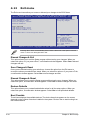
This chapter tells how to change system settings through the BIOS Setup menus and
describes the BIOS parameters.
Chapter 5: RAID configuration
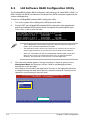
This chapter provides instructions for setting up, creating and configuring RAID sets
using the available utilities.
6.
Chapter 6: Driver installation
7.
Chapter 7: Multiple GPU technology support
This chapter provides instructions for installing the necessary drivers for different
system components.
This chapter describes how to install and configure multiple ATI®
CrossFireX™/ NVIDIA® SLI™ graphics cards and NVIDIA® CUDA technology.