1
Using the TX-CT5
Office, Security, or Media Center Control
Calls
There are two different kinds of calls that you can send:
!
Office: To send a general emergency call signal to the Paging Console (AXP-PC) or to a
Security Panel (AXU-SPL4) press OFFICE then ENTER. To clear the call before you
receive a response press OFFICE then CLEAR.
!
Media: To send a general call to the media center's computer press MEDIA then ENTER.
System Media Control
The TX-CT5 has a standard set of motion control buttons located on the right side.
Motion
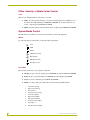
To control the motion of the media, use the following seven buttons:
PLAY
STOP
PAUSE
FFWD (Fast forward)
REV (Rewind)
FWD (Step forward)
REV (Step reverse)
Laser Disc
The selected source must accept a Chapter command.
4
!
Chapter: To play a specific chapter, press CHAPTER, the chapter number then ENTER.
!
Frame: To play a specified frame, press FRAME, the fame number, then ENTER.
!
Clear: To cancel commands, press CLEAR, then ENTER.
!
Audio: To control audio, press ALT and one of the following number buttons:
1
Left channel (analog)
2
Right channel (analog)
3
Both channels
4
All channels mute (analog)
5
Left channel (digital)
6
Right channel (digital)
7
Both channels (digital)
8
All channels mute (digital)
9
Text display on
0
Side A/B select (if available)
TX-CT5 Classroom Transmitter