1
•
•
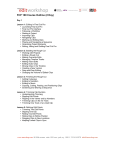
Working with Multiple Keyframe Curves and Animating Crop
with Keyframes
Creating Content with Generators, Shapes and Paint Strokes
• Drawing Shapes
• Creating a Background with a Generator
• Searching for Content
• Modifying Animated Content
• Masking with Images
• Importing Vector Graphics
• Working with Paint Strokes
• Using Shape Behaviors and Using the Bezier Tool
Day 2
Creating Text Effects
• Creating, Formatting and Styling Text Layers
• Saving and Applying Text Style Presets
• Duplicating, editing and Aligning Text Layers
• Applying Text Behaviors
• Using the Glyph Tool
• Saving a Text Animation Favorite and Adding Motion Blur
Working with Particle Emitters and Replicators
• Using Emitters to Make Particle Systems
• Adjusting Emitter and Cell Controls in the Inspector
• Adding Cells
• Using Emitters from the Library
• Replicating Elements and Modifying Replicator
• Presets
Using Audio
• Importing Audio
• Setting Markers and Keyframes in the Audio Editor
• Working with Audio and Video
• Editing to the Beat and Animating with Audio
Speed Changes and Optical Flow
• Creating Constant Speed Changes, Using Frame Blending and Optical
Flow, Creating Speed
• Ramps with Keyframes
• Creating Speed Effects with Retiming Behaviors
• Using Time Filters
www.mewshop.com 80 fifth avenue suite 1501 new york, ny 10011 212.414.9570 [email protected]