1
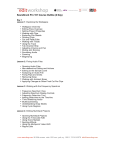
Creating text outlines
Working with Layers
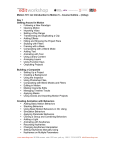
• Creating layers
• Selecting and moving objects and layers
• Duplicating layer content
• Moving layers
• Locking layers
• Viewing layers
• Pasting layers
• Creating a clipping mask
• Merging layers
• Locating layers
• Applying appearance attributes to layers
• Isolating layers
Blending Colors and Shapes
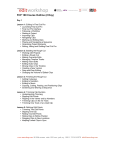
• Working with gradients
• Creating and applying a linear gradient to a fill
• Adjusting the direction and angle of a gradient fill
• Applying a gradient to a stroke
• Editing a gradient on a stroke
• Creating and applying a radial gradient
• Editing the radial gradient color
• Adjusting the radial gradient
• Applying gradients to multiple objects
• Exploring other methods for editing gradient colors
• Adding transparency to gradients
• Working with blended objects
• Creating a blend with specific steps
• Modifying a blend
• Creating and editing smooth color blends
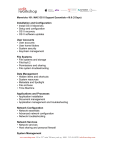
Working with Brushes
• Using Calligraphic brushes
• Editing a brush
• Using a fill color with brushes
• Removing a brush stroke
• Using Art brushes
• Drawing with the Paintbrush tool
• Editing paths with the Paintbrush tool
www.mewshop.com 80 fifth avenue suite 1501 new york, ny 10011 212.414.9570 [email protected]