1
Part I
Welcome to Adobe Photoshop CS4
Storing Digital Images
It’s easy for digital images to accumulate to an unmanageable number, and storing and backing up
images is often a concern.
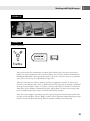
External hard drives are relatively inexpensive and offer large amounts of storage space. They can
be used to regularly back up not only your images but also your entire internal hard drive. These
drives are offered in different configurations and amounts of storage space, including those that
offer 1TB of space or more, such as Seagate, Maxtor, LaCie, My Book, and Iomega external drives.
Archival media include recordable DVD-Rs (which can hold more than 4GB) and CDs (which can
hold about 700MB).
Rewritable storage includes DVD-RWs (more expensive than DVD-Rs) and USB Flash drives (very
handy when you’re on the go).
Summary
This chapter described the characteristics and types of digital images, getting images into Photoshop,
and storing digital images. Following are key concepts:
Digital images contain pixels, usually square in shape, that describe their colors and brightness
levels. It is important to be familiar with the specific terms Photoshop uses to describe brightness levels and color qualities. Brightness, lightness, luminosity, and luminance describe the
dark to light qualities in an image, separate from the color qualities. Tonal range, or dynamic
range, is the range of dark to light values in an image, usually referred to as shadows, midtones,
and highlights. Hue refers to the color in an image, such as red, orange, or green. Saturation is
the strength or purity of a color.
Characteristics of digital images include bit depth, bitmap or vector, color mode, color space, and
file format. The images can originate from numerous sources, including digital cameras, film cameras, scanners, the Internet, e-mail, and camcorders. Digital images can be stored on numerous
types of media, including internal or external computer hard drives, DVDs, CDs, and USB Flash
drives.
32