1
Internet and Intranet Calling with Polycom PVX 8.0.1
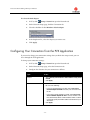
Configuring Your Connection Using the Setup Wizard
This section provides additional information you will need on some of the wizard pages to
enable calling on the following types of connections:
❑
Within an Intranet
❑
Within a Virtual Private Network (VPN)
❑
Through a DSL or cable modem (no router)
❑
Through a network router
Refer to the appropriate section for your particular connection.
If you need to change your connection setup after you have finished the setup wizard, you
can do so through the PVX application. For more information, refer to Configuring Your
Connection from the PVX Application in this application note.
Setup for Calling Within an Intranet
An Intranet is a private network within a company or organization. Intranet calls remain
inside the firewall, so you can communicate with anyone in your office network without
security issues.
Enter this information in the setup wizard screens if you are setting up PVX for calling
within your company network:
❑
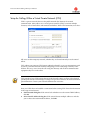
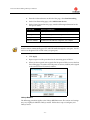
NAT Detected dialog box: If the wizard asks whether to use the external WAN
address, click No.
❑
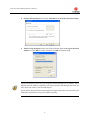
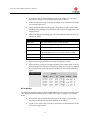
Select Your IP Address dialog box: If the wizard detects multiple addresses and asks
you to choose the recommended address, click OK.
❑
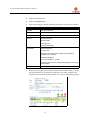
Network Setup dialog box: Select Use the PC's Local IP Address to make Intranet
calls. The first time you start PVX, a wizard guides you through the initial setup.
If you need to use PVX to make external calls outside of your Intranet, please check with
your network administrator. Calls outside of your Intranet require changes in the firewall
settings to allow video through specific ports. Network administrators oversee firewall
configurations for enabling calls to and from the Internet.
-3-