1
Internet and Intranet Calling with Polycom PVX 8.0.1
Setup for Calling Within a Virtual Private Network (VPN)
VPN is a private network that uses the public network (the Internet) for secured
communication. Many offices use a virtual private network (VPN) to connect multiple
locations, such as home offices and remote branch offices. With a VPN connection, users have
full access to their company network, whether they are located remotely or at the central
offices.
Calls within your company VPN remain within the firewall, so you can communicate with
anyone in your office network without configuring PVX for connecting externally to the
Internet. This way, users can make calls using the directory and all other communication
equipment they have in the office.
Calls outside of your VPN require changes in the firewall settings to allow video through
specific ports. See the section Setup for Calling Through a Network Router in this document for
port information. Contact your network administrator assistance.
Start your VPN client and establish a connection before starting PVX. Enter this information
in the setup wizard screens:
❑
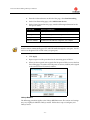
NAT Detected dialog box: If the wizard asks whether to use the external WAN address,
click No.
❑
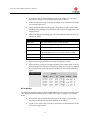
Select Your IP Address dialog box: If the wizard detects multiple addresses and asks
you to choose the recommended address, click OK.
-4-