1
F E A T U R E S
R
ising energy costs, global environmental
Direct Energy Savings
concerns, and demands for increased
The power save mode and off timer on these
widescreen monitors reduces power consumption to less than 1.5 watts on the S2232W and
S2432W, and less than 0.7 watts on the S2202W
and S2402W. When turned off via the main power
switch, these monitors consume no electricity at all.
With today’s increasing office energy expenses, zerowatt power consumption helps save electricity and
lower costs over the long run.
worker productivity require creative solutions.
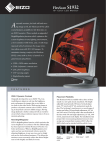
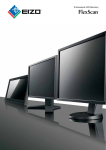
To address these challenges, EIZO introduces
its new widescreen monitors with EcoView
features such as reduced power consumption,
and improved visual ergonomics and performance. Available in 24.1" and 22" sizes with
Centralized Power Management
VA or TN technology, these monitors let you
go green and save money at the same time.
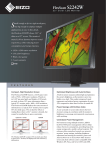
Optimized Brightness with Auto EcoView
A sensor on the front bezel measures ambient
light and optimizes the screen’s brightness, ensuring
that these monitors are never too bright or too dark.
This results in improved ergonomics and reduced
eye strain, while cutting power consumption by up
to 48%. Whereas most brightness sensors use just
one reference point to determine the ideal screen
brightness, Auto EcoView uses two — one for light
and one for dark ambient environments. This allows
the monitors to more accurately achieve the ideal
brightness in both brightly and dimly lit rooms.
Models
Auto
EcoView
OFF*
Auto
EcoView
ON
Power
Reduction
Reduced
Power
Consumption
in Wh per day
FlexScan S2202W
38 W
23 W
39%
15
FlexScan S2232W
66 W
34 W
48%
32
FlexScan S2402W
43 W
27 W
38%
16
FlexScan S2432W
71 W
40 W
43%
31
* Figures for Auto EcoView turned off assume monitors are set to the default factory brightness of 100%.
Auto EcoView Sensor
Auto EcoView
optimizes the
screen’s brightness to levels akin
to viewing a sheet
of paper under
ambient light
conditions.
Power Savings with EcoView Index
New to the FlexScan series, a user activated
on-screen index shows the level of power savings in
correlation with the monitor’s brightness to encourage environmental consciousness while working.
When EcoView
Index is fully
illuminated, the
monitor is operating at optimum
energy effi ciency.
EcoView NET remote power management
software provides centralized control over the power
settings of all units on a network. Settings include
brightness adjustment, turning the monitors’ power
and Auto EcoView function on and off, and remote
and manual scheduling. EcoView NET is compatible
with Windows Vista and XP and available free of
charge.
Digital and Analog Inputs
DVI-D and D-Sub inputs
provide both digital and analog
connectivity. When connected to DVI-D 24-pin D-Sub 15-pin
two computers at once, you can quickly switch between them via a front panel button. Support for highbandwidth digital content protection (HDCP) through
the DVI-D input allows for viewing of content from
HDCP-equipped computers.
DVI Input Level Adjustment
Compensates for image quality degradation
that may occur when connecting a monitor with a
signal switch box or via a long cable.
Individual Adjustment of Gamma
To provide better image consistency in
multi-monitor environments, EIZO performs
advanced gamma adjustment at the factory, which
minimizes discrepancies among monitor gamma
characteristics.
Fine Contrast Mode Selection
For optimum viewing of different kinds of
content, EIZO’s Fine Contrast function includes
modes for offi ce applications (Text mode), video
(Movie mode), graphics (Picture mode), web
browsing (sRGB mode), and user-defi ned settings
(Custom mode). Modes switch automatically with
the bundled ScreenManager Pro for LCD software,
or manually with the press of a button.