1
Table of Contents
1. Touring your DC C30/C40 .................................... 1
Englisch
1.1 Checking the Package Contents....................................... 1
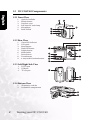
1.2 DC C30/C40 Components ............................................... 2
1.2.1 Front View............................................................... 2
1.2.2 Rear View ................................................................ 2
1.2.3 Left/Right Side View ............................................... 2
1.2.4 Bottom View ........................................................... 2
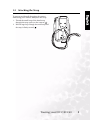
1.3 Attaching the Strap ........................................................... 3
2. Preparing Your DC C30/C40 for Use.................... 4
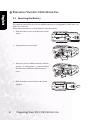
2.1 Inserting the Battery ......................................................... 4
2.2 Low Battery Indicator....................................................... 5
2.3 Turning the Power On ..................................................... 5
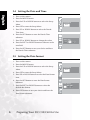
2.4 Setting the Date and Time................................................ 6
2.5 Setting the Date format .................................................... 6
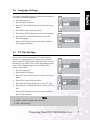
2.6 Language Settings ............................................................. 7
2.7 TV Out Settings ................................................................ 7
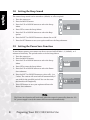
2.8 Setting the Beep Sound..................................................... 8
2.9 Setting the Power Save Function ..................................... 8
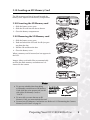
2.10 Loading an SD Memory Card ........................................ 9
2.10.1 Inserting the SD Memory card............................. 9
2.10.2 Removing the SD Memory card .......................... 9
2.11 Camera Mode Setting ................................................... 10
2.11.1 Photo Mode ........................................................ 10
2.11.2 Playback Mode ................................................... 10
2.11.3 Video Mode ........................................................ 10
3. Using the DC C30/C40 ........................................ 11
3.1 Previewing a Picture ....................................................... 11
3.2 Taking a Picture .............................................................. 11
3.3 Setting the LCD Display Mode ...................................... 11
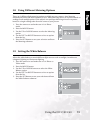
3.4 Setting Image Resolution and Quality........................... 12
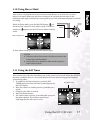
3.5 Using the Zoom Function .............................................. 13
3.6 Using the Flash................................................................ 14
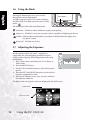
3.7 Adjusting the Exposure .................................................. 14
Table of Contents
I