1
Contents
1
Introduction
1
2
2.1
2.2
2.3
3
3.1
Getting Started
Achieving the Best Performance
Safety Instructions
Recycling Kramer Products
Overview
Defining the RC-74DL Master Room Controller
2
2
3
3
4
5
4
4.1
4.2
4.3
Connecting the RC-74DL
Connecting the RS-232 Interface
Connecting the Ethernet Port
Grounding the RC-74DL
8
9
10
10
5
Operating the RC-74DL
12
6
6.1
7
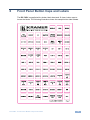
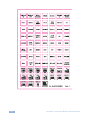
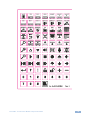
Front Panel Button Caps and Labels
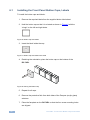
Installing the Front Panel Button Caps, Labels
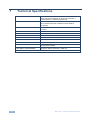
Technical Specifications
13
16
18
Figures
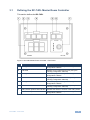
Figure 1: RC-74DL Master Room Controller - Front Panel
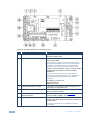
Figure 2: RC-74DL Master Room Controller - Rear
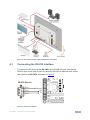
Figure 3: Connecting the RC-74DL Master Room Controller
Figure 4: RS-232 Connection
Figure 5: Grounding Connection Components
Figure 6: Button Cap Orientation
Figure 7: Button Cap Orientation with Label
Figure 8: Placing the Button Cap
5
6
9
9
10
16
16
16
RC-74DL – Contents
i