1
11Other features
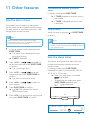
In standby mode, press SLEEP/TIMER.
»» If TIMER disappears, the alarm timer is
deactivated.
Use the alarm timer
This product can be used as an alarm clock.
You can select the disc, iPod/iPhone/iPad library,
FM radio station, or .mp3 files stored on a USB
storage device as alarm source.
Note
•• Make sure that you have set the clock correctly.
•• If the selected alarm source is unavailable, this product
switches to FM mode automatically.
1
2
3
4
5
6
»» TIMER is displayed.
Press + VOL - or
/
repeatedly to
set the hour, and then press SLEEP/TIMER
to confirm.
»» The minute digits blink.
Press + VOL - or
/
to set the
minute, and then press SLEEP/TIMER to
confirm.
»» The alarm source name blinks.
/
»» If TIMER is displayed, the alarm timer
is activated.
Stop an alarm
When an alarm rings, press
to stop it.
or SLEEP/TIMER
Note
•• If you do not stop an alarm, it keeps ringing for 30
minutes, and then the product automatically switches to
normal standby mode.
In normal standby mode, press and hold
SLEEP/TIMER.
»» The alarm time is displayed with the
hour digits blinking.
Press + VOL - or
alarm source.
Deactivate/Re-activate the alarm
timer
to select an
Use the sleep timer
You can set a period of time after which the
product automatically switches to normal
standby mode.
In working mode, press SLEEP/TIMER
repeatedly to select a preset period (120, 90,
60, 45, 30, or 15 minutes).
»» When the sleep timer is activated,
is displayed.
• To deactivate the sleep timer, press
SLEEP/TIMER repeatedly until
is displayed.
Press SLEEP/TIMER to confirm.
»»
XX (XX indicates the volume
level of alarm) blinks.
Press + VOL - to set the alarm volume, and
then press SLEEP/TIMER to confirm.
EN
23