1
OVERVIEW
Introduction
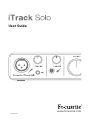
Thank you for purchasing this iTrack Solo, one of the family of Focusrite professional computer audio
interfaces incorporating high quality Focusrite analogue pre-amplifiers. You now have a simple and
compact solution for routing high quality audio to and from your iPad, iPad 2, iPad (3rd Generation) or computer.
This User Guide provides a detailed explanation of the hardware to help you achieve a thorough
understanding of the product’s operational features. We recommend that both users who are new
to computer-based recording, as well as more experienced users, take the time to read through
the user guide so that you are fully aware of all the possibilities that the iTrack Solo has to offer.
If the main User Guide sections do not provide the information you need, be sure to consult http://www.focusrite.com/answerbase, which contains a comprehensive collection of common
technical support queries.
Features
The iTrack Solo audio interface allows you to connect a microphone and/or guitar to an iPad, iPad 2
or iPad (3rd Generation). The signals connected to the physical inputs of the iTrack Solo can then be
routed to your audio recording app - for example, GarageBand. It can also be used to route audio to a
digital audio workstation (referred to throughout this user guide as a “DAW”) running on a laptop (or
desktop) using either Mac OS or Windows. In either case, the monitoring output from the recording
app or DAW will appear at the iTrack Solo’s physical outputs.
This lets you record “real-world” instruments into GarageBand (or whichever recording app or DAW
you use) along with - or instead of - any “native” sounds already available within your iOS device
or computer. The instruments may be “electric”, i.e., a guitar, or acoustic - anything you can put
a microphone in front of. The iTrack Solo also lets you route the tracks of your DAW to its physical
outputs, which can be connected to an amplifier and speakers, powered monitors, headphones,
or any other audio equipment with analogue inputs that you wish to use. Although all inputs and
outputs on the iTrack Solo are routed directly to and from your DAW for recording and playback, you
can configure the routing within your DAW in order to meet your needs.
Box Contents
Along with your iTrack Solo you should have:
• Software activation card providing activation codes for:
- Focusrite Scarlett Plug-in Suite
- Ableton Live Lite
• Device Link cable (iTrack Solo to iPad)
• USB cable (Type ‘A’ to Type ‘B’)
• Getting Started Guide
5