1
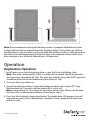
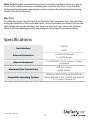
Note: We recommend ensuring the docking station is powered off before any drive
is physically inserted or removed from the docking station. If two drives are docked
simultaneously, and one drive is removed while the docking station is still powered on
the other drive will momentarily disconnect from your computer which could cause
drive damage or loss of data if other drive is still mounted.
Operation
Duplication Operation
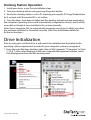
1. Install your source and destination drives as per the Drive Installation steps.
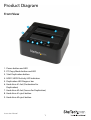
Note: The drive containing the DATA you intend to be copied, should be placed in
the Source bay (Hard drive #2 slot). The drive you intend to have the DATA copied to,
should be placed in the destination bay (Hard drive #1 slot).
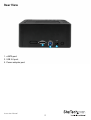
2. Turn your docking station on.
3. Ensure the docking station is set to duplication mode by pressing the PC/Copy
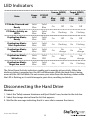
Mode button for 3 seconds until the mode LED is set to red.
Note: It may take up to 10 seconds for each drive to be ready. Please wait for both
the drive LEDs to become blue before continuing to step 4.
4. Press the Start button to begin duplication. The duplication LED progress bar will
indicate how much of the duplication is complete. Once complete, the entire bar
will be lit solid.
Instruction Manual
5