1
Quickstart Guide (English)
Introduction
1.
2.
Make sure all items listed in the Box Contents section are included in the box.
READ SAFETY INSTRUCTION BOOKLET BEFORE USING THE PRODUCT.
Box Contents
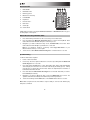
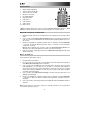
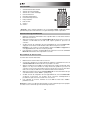
Flash Cube
Remote Control
1/8” Stereo Aux Cable
Quickstart Guide
Safety & Warranty Information Booklet
Support
For the latest information about this product (system requirements, compatibility information,
etc.) and product registration, visit ionaudio.com.
Quick Setup
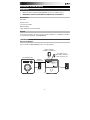
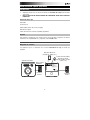
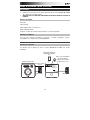
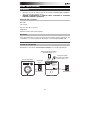
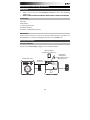
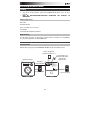
Connection Diagram
Items not listed in the Box Contents section are sold separately.
Bluetooth Device
(smartphone, tablet, etc.)
Aux Audio Source
(MP3 Player, CD Player,
Stereo Receiver, etc.)
Second Flash Cube
Wireless
Stereo Link
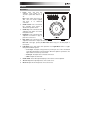
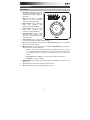
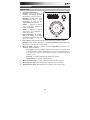
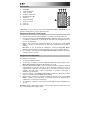
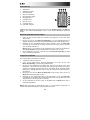
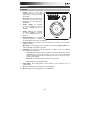
Connecting to one Flash Cube:
1. Power on Flash Cube.
2. Press and Release the Bluetooth Connect button to enter Connecting Mode.
3. Navigate to your device’s Bluetooth setup screen, find Flash Cube, and connect.
4. To disconnect, hold the Bluetooth Connect button on Flash Cube.
Note: The Bluetooth LED will be blinking if not yet connected.
Once connected, the LED will be solid.
AUX IN
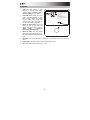
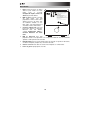
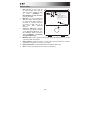
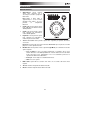
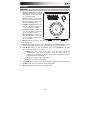
Linking two Flash Cube units:
1. Power on each Flash Cube.
2. If necessary, disconnect previous Bluetooth connections by holding down
the Bluetooth Connect button for 3 seconds.
3. Press and Release the Link button on each Flash Cube.
4. Press and Release the Bluetooth Connect button on the Flash Cube
that you want to be the "master" (left channel).
5. Navigate to your device’s Bluetooth setup screen, find Flash Cube, and connect.
The speakers will relink automatically the next time they are both powered on.
6. To disconnect linking, hold the Link button on the
“master” Flash Cube for 5 seconds.
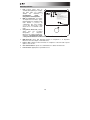
For detailed instructions, please see the included Quickstart Guide.
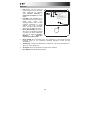
Power
Power
3