1
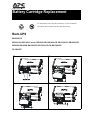
BX650xx-xx
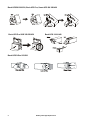
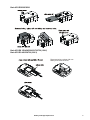
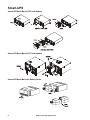
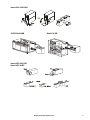
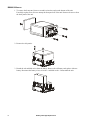
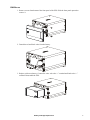
1. Remove screws from bottom of the front panel of the UPS. Slide the front panel upwards to
remove it.
2. Detach the red and black wires from the battery.
3. Replace with a new battery. Connect the wires: red to the “+” terminal and black to the “-”
terminal. Reassemble the UPS.
Battery Cartridge Replacement
7