1
Matrix Mode
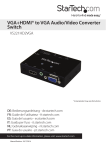
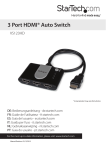
Matrix mode allows you to output either display to one or both of the video sources.
Each display is represented by each of the Manual Switches.
1. Press Manual Switch #1, one time to output Input 1, or two times to output signal 2.
2. Press Manual Switch #2, one time to output Input1, or two times to output signal 2.
EDID Copy
EDID allows the video source to output the most ideal signal to the video display. The
“EDID Copy” function on the HDMI® switch ensures that EDID is still active through
the switch. This function allows the system to maintain the EDID settings from video
output #1 while switching between sources.
EDID Copy Positions
Position
Description
1
Off
2
EDID audio copy only
3
EDID video copy only
4
EDID video and audio copy
EDID Copy Setup
1. Set the EDID Copy switch to your desired EDID copy position.
2. Press and hold the “EDID copy” button for 3 to 5 seconds until the LEDs flash.
3. EDID is now copied.
Instruction Manual
4