1
Firmware User’s Manual V6.08.30
Parameters
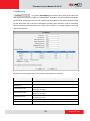
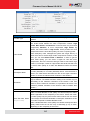
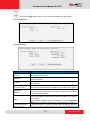
Encoder Type
H.264 Profile
VGA Aspect Ratio
Resolution
Frame Rate
Video Bit Rate Mode
(only for H.264)
Description
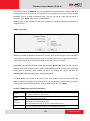
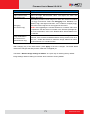
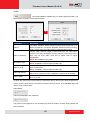
There are two encoder types available: H.264 (High Profile) and
MJPEG.
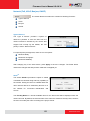
This item is available only if the Encoder Type is H.264.
The H.264 Profile defines the video compression scheme: High
Profile, Main Profile, and Baseline. These schemes vary from least
compressed, Baseline, to most compressed, High Profile. By
default, the H.264 Profile is High Profile, which provides the most
compression with the best video quality, but more computing power.
Some third-party video management system has longer latency or
takes more time to decode High Profile compression scheme, in this
case, you can select Main Profile or Baseline. In order to get the
same video quality, you can select a higher bit rate with lower
compression; this is the same as having a lower bit rate with a High
Profile. For example, a video on High Profile with 2M bit rate will have
the same video quality as a video with Baseline Profile at 3.5M bit
rate.
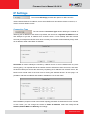
It is used to define the aspect ratio of VGA stream – it can be either
4:3 ratio (640x480) or 16:9 ratio (640x360). When “Auto Detected” is
chosen, the VGA stream will follow the ratio of the higher resolution
stream, to ensure the identical view of stream 1 and stream 2.
Depending on the camera model, the number of available resolutions
may be different. The default resolution setting of the camera may not
necessarily be the maximum resolution of the camera. If the user
wants to use the maximum resolution, it is possible to do it here. The
maximum possible resolution of the stream 2 will be smaller than
stream 1.
Defines the amount of frames per second.
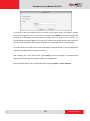
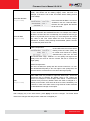
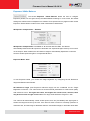
Under “Constant Bit Rate” mode (CBR), the camera keeps the stable
bitrate regardless of the complexity of the scene. Under this mode,
the video quality may vary if the bit rate value is set too low. It is easier
to do storage and network bandwidth consumption estimations under
this mode compared to Variable Bit Rate mode.
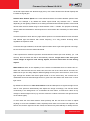
Under “Variable Bit Rate” mode (VBR), the camera will keep the video
quality stable while the bit rate may occasionally go up or down,
depending on the complexity of the scene.
64
www.acti.com