1
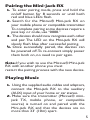
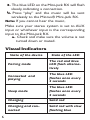
3. The blue LED on the Mini-jack RX will flash
slowly, indicating a connection.
4. Press “play” and the music will be sent
wirelessly to the Miccus® Mini-jack RX.
Note: If you cannot hear the music,
Make sure your stereo system is set to AUX
input or whichever input is the corresponding
input to the Mini-jack RX.
a. Check and make sure the volume is not
turned down or muted.
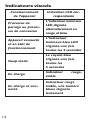
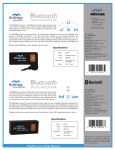
Visual Indicators
State of the device
6
State of the LED
Pairing mode
The red and blue
LED flash alternatively
Connected and
playing
The blue LED
flashes once every
3 seconds
Sleep mode
The blue LED
flashes once every
5 seconds
Charging
Solid red
Charging and connected
Solid red with slow
flashing blue