1
6. freeREC
Table
of Contents
1 Getting Started............................................................................ 3
Key benefits of your Point 2 View:............................................................................................... 3
Flexible positioning...................................................................................................................... 3
Easy autofocus.............................................................................................................................. 3
Smart P2V Software......................................................................................................... 3
Installing the P2V Software............................................................................................ 4
System requirements.................................................................................................................... 4
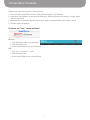
Installing P2V Software................................................................................................... 4
Connecting your Point 2 View....................................................................................................... 4
Reviewing key parts of the Point 2 View Hardware..................................................................... 5
Reviewing key parts of the P2V Software...................................................................... 6
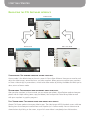
Navigating the P2V Software interface................................................................................... 7
Camera mode: For viewing video and taking snapshots................................................................ 7
Review mode: For reviewing and navigating taken snapshots....................................................... 7
Full Screen mode: For sharing video and images with others....................................................... 7
2 Using Basic Features.................................................................... 8
Seeing how easy it is to stay focused.......................................................................................... 8
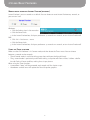
Selecting Autofocus (AF) mode on Point 2 View............................................................................8
Bringing Point 2 View into focus................................................................................................... 8
Disabling the “beep” sound (optional)......................................................................................... 9
Taking snapshots........................................................................................................................ 10
Navigating photos in Review mode............................................................................................. 10
Disabling the “snapshot” sound (optional).................................................................................. 10
Modifying or disabling Instant Preview (optional)........................................................................ 11
Using the Timer function............................................................................................................. 11
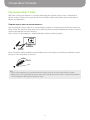
Positioning Point 2 View............................................................................................................ 12
Viewing objects and the macro capability................................................................................... 12
Sharing documents..................................................................................................................... 13
Using Point 2 View as a standard webcam.................................................................................. 13
3 Working with Video Images........................................................ 14
Zooming images............................................................................................................................... 14
Controlling exposure......................................................................................................................... 14
Flipping images (the Mirror function)................................................................................................ 15
Changing resolution.......................................................................................................................... 15
Changing window size...................................................................................................................... 16
1