1
6
Installation Summary
AXIS 200+ and 240 User’s Guide
Installation Summary
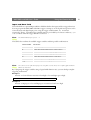
You install your camera server in these steps:
• Connecting the hardware
• Assigning an IP address
• Verifying the installation
• Configuring the camera server
• Adjusting the focus
Connecting the Hardware
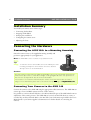
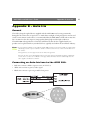
Connecting the AXIS 200+ to a Mounting Assembly
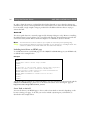
Fasten the camera server to the supplied mounting assembly and
position it appropriately for your application.
Note:The AXIS 200+ can be mounted on any standard mount.
Tip!
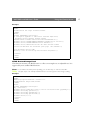
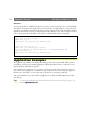
To make the camera stand smaller, remove the middle part of the
mounting assembly. The camera holder can now be attached
directly to the foot. See the illustration.
Caution!
The CCD (charged coupled device) within the AXIS 200+ can become permanently damaged if the
camera lens is exposed to too much direct sunlight, or halogen light! If this is the case, please use an
Auto Iris Lens. See Appendix B - Auto Iris for more information.
If used outdoors or in extreme environments, the camera server must be housed in an outdoor
casing. For more information, please refer to the camera sever product pages at http//www.axis.com/
Connecting Your Cameras to the AXIS 240
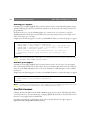
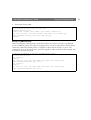
Connect the cameras to the AXIS 240 using the appropriate cables/connectors. The AXIS 240 can
service up to four coax/BNC cameras and one S-video camera.
It is possible to connect a Pan/Tilt device to the RS-232 Pan/Tilt port of the AXIS 240 for remote
adjustment of the camera position. The AXIS 240 can control one Pan/Tilt device at a time, or
several if they are daisy chained. Refer to the Pan/Tilt Control information provided in the User’s
Manual and/or your camera supplier’s documentation for further details on connecting the
cameras.