1
Wireless-N PCI/PCI-E Adapter Quick Installation Guide
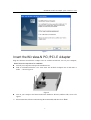
Figure 7
Insert the Wireless-N PCI/PCI-E Adapter
Plug the Wireless-N PCI/PCI-E Adapter into an available PCI/PCI-E slot on your computer,
Please follow the steps below for installation.
l
turn off your computer and open the mainframe box.
l
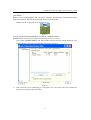
Find an available PCI/PCI-E slot,then insert the PCI/PCI-E adapter into it and make it
stable ,refer to Figure 8.
l
Ø
Figure 8
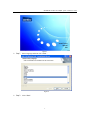
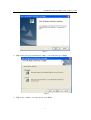
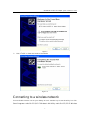
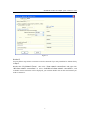
turn on your computer and then Found New Hardware Wizard (windows XP) screen will
appear:
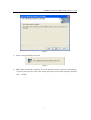
Select Install the software automatically (Recommended) and then click “Next”
6