1
Custom Exposure
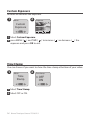
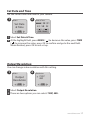
Increase or decrease the exposure.
1
2
MENU
Exposure
Exposure
Custom
Exposure
OK
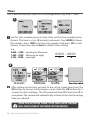
1 Select Custom Exposure
2 press MENU ( ) and TIME ( ) to increase (
exposure and press OK to exit.
) or decrease (
) the
Time Stamp
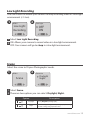
You can choose if you want to show the time stamp at bottom of your video.
1
2
MENU
Time Stamp
Time
Stamp
OK
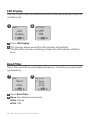
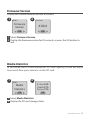
1 Select Time Stamp.
2 Select OFF or ON.
14 Brinno TimeLapse Camera TLC200 f1.2
OFF
ON
OK