1
Table of Contents
1. Introduction ....................................................................................................... 2
Applications ........................................................................................................ 3
Features.............................................................................................................. 3
Package Contents............................................................................................... 4
System Requirements......................................................................................... 4
2. Installation ......................................................................................................... 6
On Windows 7®................................................................................................... 6
On Windows Vista® ............................................................................................. 9
On Windows® XP .............................................................................................. 12
On Mac ............................................................................................................. 14
3. Using the Adapter ........................................................................................... 19
On Windows ..................................................................................................... 19
Display Properties ............................................................................................. 19
Display Modes .................................................................................................. 20
Extend Your Windows Desktop to Secondary Monitor (Default) ....................... 20
Video and DVD Playback in Extened Mode .................................................. 22
Mirror Your Windows Desktop ........................................................................... 23
Be the Primary Monitor ..................................................................................... 24
Adjusting Resolution and Refresh Rate ............................................................ 25
Configure the components ................................................................................ 26
Fit to TV Function.............................................................................................. 29
Standby and Hibernate, Shut Down and Restart............................................... 32
Inferred Modes .................................................................................................. 32
Disconnecting the Adapter ................................................................................ 33
Using Dual Adapters ......................................................................................... 33
On Mac ............................................................................................................. 35
Managing Multiple Displays .............................................................................. 35
Setting the Display Resolutions and Rotation ................................................... 35
Setting the Position of Displays ........................................................................ 36
Display Positions .............................................................................................. 36
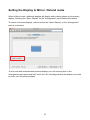
Setting the Display to Mirror / Extend mode...................................................... 37
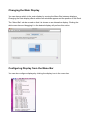
Changing the Main Display ............................................................................... 38
Configuring Display from the Menu Bar ............................................................ 38
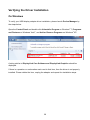
Verifying the Driver Installation.......................................................................... 39
On Windows ..................................................................................................... 39
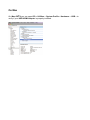
On Mac ............................................................................................................. 40
Uninstall the Adapter and Driver ....................................................................... 41
4. Troubleshooting .............................................................................................. 42
5. Specifications .................................................................................................. 44
6. Regulatory Compliance .................................................................................. 46
FCC Conditions ................................................................................................ 46
CE ..................................................................................................................... 46
WEEE Information ............................................................................................ 46
1