1
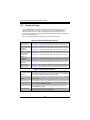
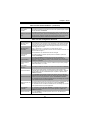
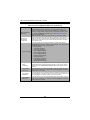
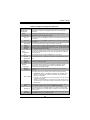
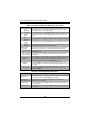
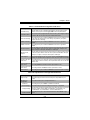
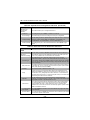
Chapter 5: BIOS Table 5-7. PCIe/PCI/PnP Configuration Sub-menu Menu Option Description PCI ROM Priority Use this setting in case of multiple Option ROMs to specify what PCI Option ROM to launch. Options include Legacy ROM and EFI Compatible ROM. PCI Latency Timer This sets the value to programmed into the PCI Latency Timer Register. Options include 32, 64, 96, 128, 160, 192, 224 an 248.PCI Bus Clocks. Above 4G Decoding This setting allows you to Enable or Disable decoding of 64-bit capable devices in the Above 4G Address Space. This setting is only usable if your system supports 64-bit PCI decoding. PERR# Generation This setting allows you to Enable or Disable the PCI device to generate a PERR#. SERR# Generation This setting allows you to Enable or Disable the PCI device to generate a SERR#. Maximum Payload Use this setting to set the maximum payload of the PCI Express device or allow the system BIOS to select the value. Options include Auto, 128 Bytes, 256 Bytes, 512 Bytes, 1024 Bytes, 2048 Bytes or 4096 Bytes. Maximum Read Request Use this setting to set the maximum read request size of the PCI Express device or allow the system BIOS to select the value. Options include Auto, 128 Bytes, 256 Bytes, 512 Bytes, 1024 Bytes, 2048 Bytes or 4096 Bytes. ASPM Support This sets the ASPM Level for your system. Options include Disabled (disables ASPM), Auto (lets BIOS auto configure) or Force L0s (force all links to L0s state). This setting allows you to select the onboard LAN option ROM to be either PXE Onboard LAN Option or iSCSI. Note: If iSCSI is selected, LAN1 Option ROM select will cover all other ROM Select Oboard LANs. Load Onboard LAN 1 This setting Enables or Disables onboard option ROM for LAN1. Option ROM Load Onboard LAN 2 This setting Enables or Disables onboard option ROM for LAN2. Option ROM Network Stack This setting allows you to Enable or Disable the network stack (Pxe and UEFI). Table 5-8. SuperIO Device Configuration Sub-menu Menu Option Description Super IO Chip This static display shows the name of the Super IO chip installed for your system. Serial Port 1 Configuration This submenu allows you to configure Serial Port 1. Serial Port This setting allows you to Enable or Disable the Serial Port. Device Settings This static display shows device settings for serial port 1 configuration. Change Settings Use this setting to select an optimal setting for the Super IO device to use for the Serial Port. Options include Auto, IO=3F8h/IRQ=4, IO=3F8h/IRQ=3~12, IO=2F8h/IRQ=3~12, IO=3E8h/IRQ=3~12 and IO=2E8h/IRQ=3~12 Serial Port Mode This setting allows you to set the Serial Port Mode to either Normal or High Speed. 5-11