1
How to pair the Bluetooth Keyboard with an iPad
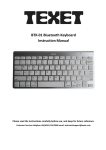
Step 1: Turn on the power toggle switch. The Power / Bluetooth indicator
will light up for 5 seconds, and then press the connection button.
The Power / Bluetooth indicator light will start blinking. Now, the
keyboard is in pairing mode.
Step 2: Turn on your iPad, go to "Setting" - "General" and turn on the
Bluetooth function.