1
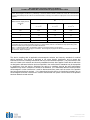
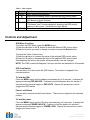
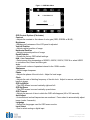
Figure 1 - OSD Main Menu
OSD Control Options (Clockwise)
Contrast
• Adjusts the contrast or the values of color gain (RED, GREEN or BLUE).
Brightness
• Background luminance of the LCD panel is adjusted.
Vertical Position
• Adjusts vertical position of image.
Horizontal Position
• Adjusts horizontal position of image.
Recall Defaults
• Recalls the factory OSD default settings.
RGB - Color Temperature
• Select preset color temperature of 9300°K, 6500°K, 5500°K, 7500°K or select USER
to customize Red, Green and Blue gain.
Audio
• Adjust audio volume of speakers internal to the 1528L monitor.
Sharpness
• Adjust image sharpness.
Phase
• Adjusts the phase of the dot clock. Adjust for best image.
Clock
• Adjusts the ratio of dividing frequency of the dot clock. Adjust to remove vertical dark
bands in image.
OSD Left/Right
• The OSD screen is moved vertically right and left.
OSD Up/Down
• The OSD screen is moved vertically up and down.
OSD Timeout
• Adjusts the amount of time in which the OSD will disappear (45 to 255 seconds).
Auto Adjust
• Horizontal and vertical frequencies are monitored. Press select to automatically adjust
image (under 5 seconds).
Language
• Selects the languages used for OSD menu monitor.
Input Select
• Use to select analog or digital input.
User Manual: 1528L SW200095 Rev A, Page 21 of 39