1
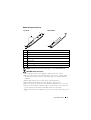
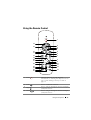
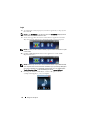
Using the Remote Control
POWER
1
14
2
15
ENTER
MENU
16
17
18
19
20
21
3
ASPECT
5
SOURCE
VOL
VIDEO MODE
KEYSTONE
VOL
AUTO ADJ. FREEZE
25
26
1
Power
2
Enter
3
4
Right
Down
6
7
MUTE
MOUSE
8
9
BLANK
22
23
24
4
ZOOM
ZOOM
INFO
VGA
VIDEO
S-VIDEO
10
11
12
13
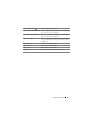
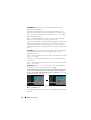
Turns the projector on or off. For more
information, see "Turning Your Projector On" on
page 30 and "Turning Your Projector Off" on
page 30.
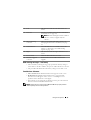
ENTER
Press to confirm the selection.
Press to navigate through the On-Screen Display
(OSD) Menu items.
Press to navigate through the On-Screen Display
(OSD) Menu items.
Using Your Projector
37