1
Using MS810n, MS810dn, MS811n, MS811dn, MS812dn
45
Using MS810n, MS810dn, MS811n, MS811dn,
MS812dn
Learning about the printer
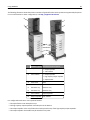
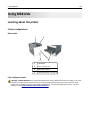
Printer configurations
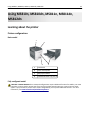
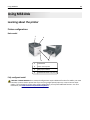
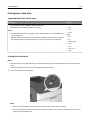
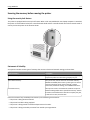
Basic model
1
2
4
3
1
Standard bin
2
Printer control panel
3
Multipurpose feeder
4
Standard 550‑sheet tray (Tray 1)
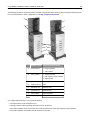
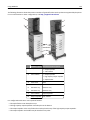
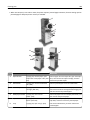
Fully configured model
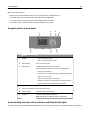
CAUTION—TIPPING HAZARD: Floor-mounted configurations require additional furniture for stability. You must
use either a printer stand or printer base if you are using a high-capacity input tray or more than one input
option. If you purchased a printer with a similar configuration, you may need additional furniture. For more
information, see www.lexmark.com/multifunctionprinters.