1
Contents
2
Contents
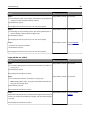
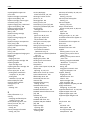
Safety information.......................................................................................7
Overview.....................................................................................................9
Using this guide.........................................................................................................................................9
Finding information about the printer......................................................................................................9
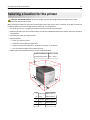
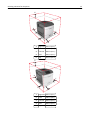
Selecting a location for the printer.............................................................11
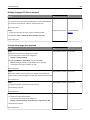
Additional printer setup.............................................................................13
Installing internal options........................................................................................................................13
Available internal options .................................................................................................................................13
Accessing the controller board .........................................................................................................................14
Installing a memory card ..................................................................................................................................17
Installing an Internal Solutions Port..................................................................................................................18
Installing an optional card ................................................................................................................................23
Installing a printer hard disk .............................................................................................................................24
Removing a printer hard disk............................................................................................................................29
Installing hardware options.....................................................................................................................31
Order of installation..........................................................................................................................................31
Installing optional trays ....................................................................................................................................31
Attaching cables......................................................................................................................................33
Setting up the printer software...............................................................................................................35
Installing the printer software ..........................................................................................................................35
Updating available options in the printer driver ..............................................................................................36
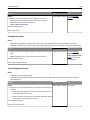
Networking..............................................................................................................................................37
Preparing to set up the printer on an Ethernet network..................................................................................37
Installing the printer on an Ethernet network ..................................................................................................37
Preparing to set up the printer on a wireless network.....................................................................................38
Connecting the printer to a wireless network using the Wi-Fi Protected Setup ..............................................39
Connecting the printer to a wireless network using the Embedded Web Server.............................................40
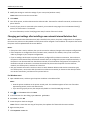
Changing port settings after installing a new network Internal Solutions Port................................................41
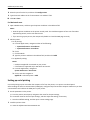
Setting up serial printing...................................................................................................................................42
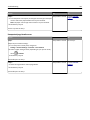
Verifying printer setup............................................................................................................................43
Using MS810n, MS810dn, MS811n, MS811dn, MS812dn............................45
Learning about the printer......................................................................................................................45
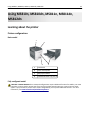
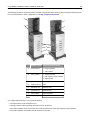
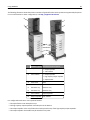
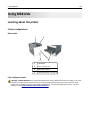
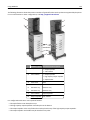
Printer configurations .......................................................................................................................................45
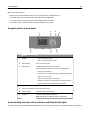
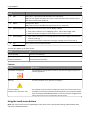
Using the printer control panel.........................................................................................................................47
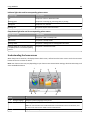
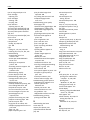
Understanding the colors of the indicator and Sleep button lights..................................................................48