1
HDX Ha rd Disk P la y er Overvi ew
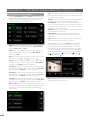
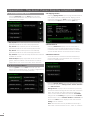
1.1.3 The NaimNet/StreamNet Touch Screen Interface
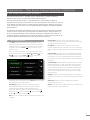
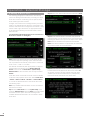
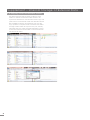
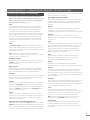
To access the Front Panel Display interface from a web
browser add the suffix:
If the HDX is installed in a NaimNet home network, HDX
network audio streams can be controlled from the
NaimNet/StreamNet Interface. The NaimNet/StreamNet
Interface can be accessed from a StreamNet compliant
touch screen or a web browser. The interface can also
control any StreamNet compliant device.
Note: The NaimNet/StreamNet Interface is not covered in
this manual.
/index.html?movie=fp.swf to the HDX name.
E.g. NSHDX89B5/index.html?movie=fp.swf
Note: Depending on your web browser you may need to
type “http://” immediately before the HDX name.
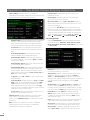
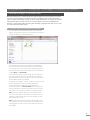
1.1.5 The Desktop Client
If the HDX is installed in a home network that includes a
personal computer running Windows XP, Vista or 7, it can
be operated via the Desktop Client Interface. The Desktop
Client application provides the most comprehensive
operational and search functionality. The Desktop Client is
covered in a separate manual that can be downloaded
from the Naim Audio web site at www.naimaudio.com.
1.1.4 The Web Browser Interface
If the HDX is installed in a home network the External
Display and Front Panel Display interfaces can be
duplicated by any Flash enabled web browser
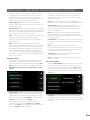
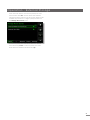
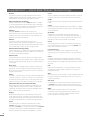
To access the External Display Interface from a web
browser, open the web browser and type the unique
“name” of your HDX into the browser address field. The
name is the last four characters of the MAC address
(excluding the colon separators) printed on the rear
Some setup, file management and maintenance facilities
are only available via the Desktop Client.
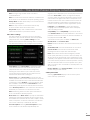
1.1.6 iPhone, iPod, iPad App
panel preceded by NSHDX). A typical “name” would be
NSHDX89B5.
The n-Serve app, available from the iTunes App Store,
enables wireless touch screen control of HDX from an
iPhone, iPad or iPod touch.
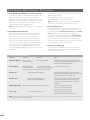
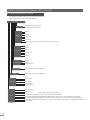
1.2 HDX Interface Options
Interface
Control Display
Front Panel Display
Touch screen.
Front Panel display.
Remote handset.
External Display
Notes
Enables control of both HDX local outputs in stand-alone installations and network streams in network connected installations.
Remote handset.
TV or monitor with VGA,
Controls local outputs only.
Keyboard/mouse.
S-video or composite input.
USB/VGA touch screen.USB/VGA touch screen.
Web Browser
Flash enabled web browser.
Duplicates functionality of Front Panel and External Display Interfaces. Network connection required. Controls local outputs only.
Desktop Client
Computer running Windows XP, Windows Vista or Windows 7.
Provides music database management and advanced HDX setup functions. Can also control local outputs. Network connection required.
NaimNet/StreamNet
StreamNet compliant network touch screen.
Controls network streams only.
Does not control local outputs.
Network connection required.
n-Serve App
iPhone, iPad or iPod touch
Controls HDX local output only.
Wireless network connection required.
Note: An internet connection is required for detailed CD data lookup. Without an internet connection, limited information is
available from a locally held database.
2