1
G E T T I N G
S T A R T E D
•
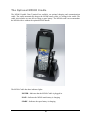
Collect and upload data
•
Send and receive data
•
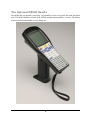
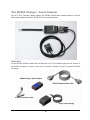
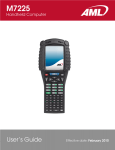
Connect and use the M5900 serial and USB interface
Warranty
A one-year warranty against material defects and workmanship from the date of shipment
is guaranteed by American Microsystems, Ltd. Products are sold on the basis of
specifications applicable at the time of manufacture. American Microsystems, Ltd. shall
have no obligation to modify or update products once sold. At our option, we will repair
or replace, at no charge, any unit that proves to be defective providing the appropriate
steps are taken to procure an RMA (Return Materials Authorization) number and
shipping instructions from American Microsystems, Ltd.
General Conventions
Before you begin to use the M5900 terminal, it’s important that you understand key
conventions and terms used in this manual.
Keys
Description
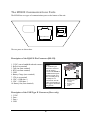
SMALL CAPS
Refers to a specific menu selection contained in the M5900 in
order to continue or complete a task.
[KEY]
The square brackets indicate a specific key on the M5900 portable
data terminal’s key pad.
Bold
Words you type – for example when you are instructed to type
A:\setup. Bold also refers to existing filenames.
Italic
¤Notes
Italic/Bold
Warning! And section references.
Click/Select
After selecting a procedure or menu, “Click” means to press and
release the left mouse button. “Select” means that after you select
the menu item or action, you should press ENTER.
2