1
Maintaining the printer
231
Maintaining the printer
Periodically, certain tasks are required to maintain optimum performance of your printer.
Cleaning the exterior of the printer
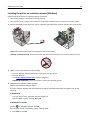
1 Make sure that the printer is turned off and unplugged from the wall outlet.
CAUTION—SHOCK HAZARD: To avoid the risk of electric shock when cleaning the exterior of the printer,
unplug the power cord from the wall outlet and disconnect all cables to the printer before proceeding.
2 Remove paper from the standard exit bin.
3 Dampen a clean, lint‑free cloth with water.
Warning—Potential Damage: Do not use household cleaners or detergents, as they may damage the finish of
the printer.
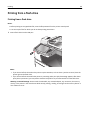
4 Wipe only the outside of the printer, making sure to include the standard exit bin.
Warning—Potential Damage: Using a damp cloth to clean the interior may cause damage to your printer.
5 Make sure the paper support and standard exit bin are dry before beginning a new print job.