1
L
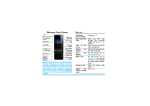
Select the character on the screen.
,
Select or confirm a character.
+/-
To browse the candidate character on the previous or
next page.
Note:
• Depending on the language you select for your phone, the supported input methods
may vary.
Introduction of input methods:
Input method
English input
Function
Press the keys that are marked with the letter you
wish to enter. Press once to get the first letter on
the key, press twice quickly to get the second letter
and so on until the letter you want is displayed on
the screen.
Smart English You need to press only once on the key
input
corresponding to each letter needed to spell a word:
keystrokes input are analyzed and the word
suggested by input method is displayed at the popup window.
Numeric input
Press the numeric key to enter a number.
Manage your phonebook
Learn about basic phonebook function.
Add a new contact
1 Go to Contacts, select New contacts.
2 Select a location. (To SIM1/To SIM2/To phone).
3 Enter the number, and add details as desired.
4 Press L to finish saving.
8