1
LinkRunner AT 1000/2000 Network Auto-Tester
Users Manual
Connect Configuration
General Configuration
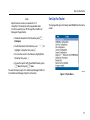
Select Tools > Connect Configuration.
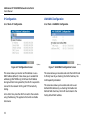
Select Tools > General Configuration.
ffy43.bmp
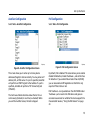
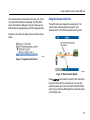
Figure 10. Connect Configuration Screen
This screen allows you to enable 802.1x Authentication and
set the speed/Duplex.
For 802.1x Authentication, if a certificate is required, you
must transfer it from your PC using the LinkRunner
Manager PC application provided with LR-AT. Only one
certificate can be installed on a LR-AT at a time.
For Speed & Duplex, Auto is the default and recommended
configuration. 10 HDX is 10 Mbps half duplex, 1000 FDX is
1000 Mbps full duplex.
14
ffy44.bmp
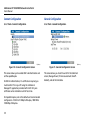
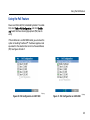
Figure 11. General Configuration Screen
This screen allows you to set the units for the Cable test
screen, Manage Power (10 minute automatic shutoff default), and set the time/date.