1
EX
EX--44372
English
JUMPER SETTING & CONNECTORS:
EX
EX--44372
English
DRIVER INSTALLATION :
Windows Server 200x:
1 +5V If JP5 is set to AUX you have to connect your PC power supply to
2 GND
connector J10! Attention! Please watch out for the right polarity!
3 GND
4 +12V Never connect the plug while PC is still running!
J10:
DB 9M:
Serial 9 Pin D-SUB connector:
Signal
After starting Windows it recognizes a new “PCI Controller“ and opens the hardware assistant. Please choose manual installation and put the driver CD into your CD-Rom drive. Now
enter the Path "D:\IO\OXFORD2\" and then the directory of your operating system for Server
2000: “2000“, for Server 2003: “XP32“ or “XP64“, for den Server 2008: „Vista32“ or „Vista64“
and for the Server 2008 R2: „Win7_32bit“ or Win7_64bit“ into the box for the Path/Source and
click at >next/continue<. Now Windows searches for the drivers in the specified directory.
Follow the hardware assistant and finish the installation. If Windows recognizes other new
devices repeat the above described steps. Attention! Restart Windows in any case after
installing the drivers.
Pin
Signal
Pin
Signal
Pin
1
CDC
4
DTR
7
RTS
CHECK THE INSTALLED DRIVER:
2
RXD
5
GROUND
8
CTS
3
TXD
6
DSR
9
RI
Click at >Start< >Run< then enter “compmgmt.msc“ and click at >OK<. In the windows that
opens select >Device Manager<. Under „Ports (COM and LPT)“ you should find a new „PCI
Port“ as sample (Com3). If you see this or similar entries the card is installed correctly.
Bedienungsanleitung
Vers. 1.0 / 03.08.11
AUFBAU :
JP4 +5V oder +12V
auf dem Port S1
JP5 Jumper für +12V
vom Netzteil oder
PCI-Express Bus
S1
CHANGE PORT NUMBER:
HARDWARE INSTALLATION :
If you are ready with the jumper settings, please proceed with the following installation instructions.
Because the designs of computers are different, only general installation instructions are given.
Please refer your computer’s reference manual whenever in doubt.
1.
Turn off the power to your computer and any other connected peripherals.
2.
Remove the mounting screws located at the rear and/or sides panels of your Computer and
gently slide the cover off.
3.
Locate an available expansion slot and remove its covers from the rear panel of your computer. Make sure it is the right expansion slot for the card (see card description)
4.
Align the card with the expansion slot, and then gently but firmly, insert the card. Make sure
the card is seated and oriented correctly. Never insert the card by force!
5.
Then connect the card with a screw to the rear panel of the computer case.
6.
Gently replace your computer’s cover and the mounting screws.
J10 Anschluss für Power
vom PC Netzteil
If you like to change the port number for example COM 3 to COM5, open the >Device Manager<
click at >COM3<, >Settings< and then >Advance<. There you can change between COM 3 to
256.
LINUX:
The drivers are located in the following folder on our driver CD:
"D:\IO\OXFORD2\LINUX"
S2
Because each individual distribution and kernel version of Linux is different, sadly we cant
provide a installation instruction. Please refer to the installation manual for standard IO ports
from your Linux version! In some newer versions of Linux the card will even be installed automatically after starting Linux.
JP6 +5V oder +12V
auf dem Port S2
BESCHREIBUNG & TECHNISCHE DATEN :
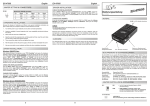
Die EX-44372 ist eine PCI-Express serielle RS-232 Karte mit 2 seriellen FIFO 16C95x Port, für
den Anschluss von High-Speed seriellen RS-232 Peripherie Geräten (z.B. Terminal, Modem,
Plotter usw.). Der serielle PCI-Express Bus unterstützt dabei optimal die Leistung des schnellen 16C95x Chip-Set mit 128byte FIFO Cache. Die EX-44372 gewährleistet so eine sichere
Datenübertragung und exzellente Performance von bis zu 921KBaud/s für jedes angeschlossene Gerät! Sie unterstützt alle PCI-Express Slots von x1 bis x16. Es ist nicht möglich die I/O
Adressen und Interrupts manuell einzustellen, da die Einstellungen der Karte vom System
(BIOS) und beim Installieren des Betriebssystems automatisch vorgenommen werden. Es
besteht bei Bedarf die Möglichkeit, +5V– oder +12V auf einen von vier Pins der beiden 9 Pin
Stecker zu legen (POS System).
DRIVER INSTALLATION :
Windows 2000/XP/Vista & 7:
After starting Windows it recognizes a new “PCI Controller“ and opens the hardware assistant. Please choose manual installation and put the driver CD into your CD-Rom drive. Now
enter the Path "D:\IO\OXFORD2\" and then the directory of your operating system into the box
for the Path/Source and click at >next/continue<. Now Windows searches for the drivers in
the specified directory. Follow the hardware assistant and finish the installation. If Windows
recognizes other new devices repeat the above described steps. Attention! Restart Windows
in any case after installing the drivers.
CHECK THE INSTALLED DRIVER:
Click at >Start< >Run< then enter “compmgmt.msc“ and click at >OK<. In the windows that
opens select >Device Manager<. Under „Ports (COM and LPT)“ you should find a new „PCI
Port“ as sample (Com3). If you see this or similar entries the card is installed correctly.
Kompatibilität:
Betriebs Systeme:
Anschlüsse:
Lieferumfang:
PCI Express x1 bis x16
WIN 2000/XP/Vista/Server 2000/2003/2008/Win 7, Linux
2 x 9 Pin Seriell Stecker (über Octopus Kabel)
EX-44372, Octopus Kabel, Treiber CD, Anleitung
Zertifikate:
CE / FCC / RoHS / WEEE
JUMPER EINSTELLUNG & ANSCHLÜSSE:
CHANGE PORT NUMBER:
Mit der EX-44372 haben Sie die Möglichkeit +5V- oder +12V auf einen der folgenden vier Pins,
des 9 Pin Steckers S1 und S2 zu konfigurieren :
If you like to change the port number for example COM 3 to COM5, open the >Device Manager<
click at >COM3<, >Settings< and then >Advance<. There you can change between COM 3 to
256.
Achtung !! Nur konfigurieren wenn für das Peripheriegerät auch +5Volt oder +12Volt
gebraucht wird. Für normale Anwendungen, Jumper nicht verändern.
JP4 & JP6:
(S1 + S2)
JP5:
6
Pin 9
Pin 8
Pin 4
Pin 1
+5V
+12V
Dis
5
DE97424562 / WHQL
JP5 auf PCI
PCI AUX
PCI AUX
1
= +12V kommt
vom PCI BUS
JP5 auf AUX = +12V kommt
vom PC Netzteil