1
USING THE INTERNET RADIO
Your unit can be connected to an Ethernet. This allows you to enjoy the vTuner live Internet radio service.
Note:
Before using your Internet radio, make sure that you have read and understood all of the instructions in
“CONNECTIONS”.
Configurations setup
Wired connection (Ethernet)
1.
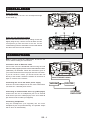
Connect the unit to your broadband Internet connection using an RJ45
Ethernet cable (supplied). Refer to “CONNECTIONS” for more details.
2.
Select “Settings” -> “Connection” -> “Ethernet” -> “Automatic
mode (DHCP)” or “STATIC IP”.
Depending on your Internet connection type, select “Automatic mode (DHCP)” or “STATIC IP” to enable the unit
to connect to the Internet. In “Automatic mode (DHCP)” mode, an IP address is automatically assigned to the unit.
In “STATIC IP” mode, you must manually enter your IP address, which you can obtain from your Internet service
provider or network administrator. To enter the IP address, select:
“IP address” -> “network mask” -> “gateway IP address” -> “DNS server IP address”
The message “Connection successful” will be displayed to confirm that the Internet is connected. If this is not the
case, “Connection failed” will be displayed. In this case try entering the IP address again and also make sure that
the network cable is available and working.
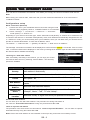
Listening to a web radio station
After successfully connecting to the Internet, you can enjoy the vTuner
live internet radio service by selecting “Internet Radio”. The following
options are available:
Options
Descriptions
Country
The unit can automatically detect the country it is in and display the web
radio stations in that country.
Location
Select a country and then select a web radio station in that country.
Format
This option allows you to choose a format: “News”, “Comedy”, “Dance”
and “Sports”. etc.
New Stations
Go straight to the new stations that have been added since the last
update.
Most Popular
Stations
Select the most listened-to stations.
Podcasts By
Genre
Select your favorite type of podcast such as “Arts Entertainment”,
“Lifestyle”, “Music”, “Talk”, “TV” and “Variety”.
Podcasts By
Location
Select the country or region from which your podcasts are broadcast.
Preset web radio stations
You can store up to five web radio stations. The procedure for storing web station is
the same as “Preset FM radio stations” using the preset buttons P1 to P5.
Listen to a preset web station
The procedure is the same as the one described in “Listen to a preset FM station” . You can listen to a preset
web station directly using the buttons P1 to P5.
Notes: Some web radio stations do not broadcast 24 hours per day, and some are not always on-line.
GB - 8