1
TABLE OF CONTENTS
Contents
Introduction .................................................................................................. 1
Features ................................................................................................. 2
Compatibility ........................................................................................... 3
System overview ......................................................................................... 4
KVM station ............................................................................................ 4
CPU connections .................................................................................... 4
Rose Electronics web site ...................................................................... 5
Vista KVM-Series models ............................................................................ 6
Installation.................................................................................................... 9
Step 1 - Connecting the KVM station ..................................................... 9
Step 2 - Connect the CPUs .................................................................. 10
Step 3 - Applying power ....................................................................... 10
Step 4 – Verify keyboard, mouse and CPU operation ......................... 10
Operating instructions ................................................................................ 13
Keyboard command ............................................................................. 13
Keyboard command description ........................................................... 15
TroubleShooting ........................................................................................ 18
Maintenance and repair ............................................................................. 20
Technical support ...................................................................................... 20
Safety......................................................................................................... 21
Safety and EMC regulatory statements................................................ 22
Tables
Table 1. Compatibility .................................................................................. 3
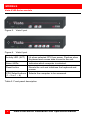
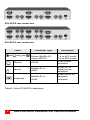
Table 2. Front panel description .................................................................. 6
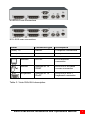
Table 3. Vista 2UA/4UA description ............................................................ 7
Table 4. Vista 4PCA/8PCA description ....................................................... 8
Table 5. Keyboard commands................................................................... 14