1
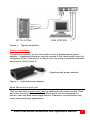
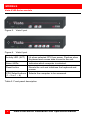
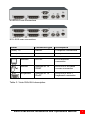
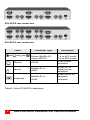
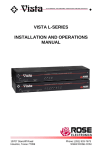
INTRODUCTION Introduction Thank you for choosing the Rose Electronics Vista Personal KVM switch. The Vista switch is the result of Rose Electronics commitment to providing state-of-the-art switching solutions for today’s demanding work place. The Vista switch has proven to be a valuable investment for users that have a need to access multiple CPUs from a single KVM station. A Keyboard, Video monitor and Mouse are referred to throughout this manual as a KVM station. Please refer to the safety section first before proceeding with any installation or configuration of the Vista switch. The Vista KVM-series switch is available in six models The 2-port and 4port models are available with DB25 connectors or PC connectors. For the Vista models with DB25 connectors, it is recommended that Rose Electronics cable part number CAB-WX0606Cnnn or CAB-CX0606Cnnn (DB25 to HD15/PS2/PS2) CPU Cable be used. For the models with PC connectors, it is recommended that Rose Electronics cable part number CAB-CXV66MMnnn or CAB-WX66MMnnn (VGA/PS/2 keyboard/PS/2 mouse cable) be used. The Vista switch can simplify your job by helping you organize your multiple computer applications. Because the Vista switch lets you use a single keyboard, video monitor, and mouse to access several computers, you can significantly reduce your equipment overhead and end keyboard and monitor clutter. Vista KVM-Series Installation and Operations Manual 1