1
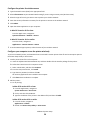
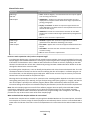
3 From the Printer List, choose Add, and then click IP Printer.
4 Type the IP address of the printer in the address field, and then click Add.
b For AppleTalk printing:
Note: Make sure AppleTalk is activated on your printer.
In Mac OS X version 10.5
1 From the Apple menu, navigate to:
System Preferences > Print & Fax
2 Click +, and then navigate to:
AppleTalk > select the printer from the list > Add
In Mac OS X version 10.4 or earlier
1 From the Finder, navigate to:
2
3
4
5
6
7
Applications > Utilities
Double‑click Printer Setup Utility or Print Center.
From the Printer List, click Add.
Click Default Browser tab > More Printers.
From the first pop‑up menu, select AppleTalk.
From the second pop‑up menu, select Local AppleTalk Zone.
Select the printer from the list, and then click Add.
Installing the printer on a wired network
These instructions apply to Ethernet and fiber optic network connections.
Note: Make sure you have completed the initial setup of the printer.
For Windows users
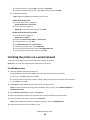
1 Insert the Software and Documentation CD.
If the installation screen does not appear after a minute, then launch the CD manually:
a Click , or click Start and then click Run.
b In the Start Search or Run box, type D:\setup.exe, where D is the letter of the CD or DVD drive.
c Press Enter, or click OK.
2 Click Install, and then follow the instructions on the computer screen.
Note: To configure the printer using a static IP address, IPv6, or scripts, select Advanced Options >
Administrator Tools.
3 Select Ethernet connection, and then click Continue.
4 Attach the appropriate cable to the computer and to the printer when instructed to do so.
5 Select the printer from the list, and then click Continue.
Note: If the configured printer does not appear on the list, then click Modify Search.
6 Follow the instructions on the computer screen.
Additional printer setup
60