1
Maintenance for Your Drive
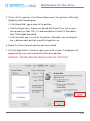
4. S
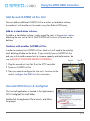
elect the G-SPEED eS Pro icon on your desktop and press Command+I. This
opens its Get Info window. (below left)
5. Select the default icon in the Get Info window. (below left)
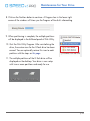
6. P
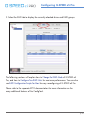
ress Command+V to paste the G-SPEED eS Pro custom icon into the Get Info
window. (below right)
The icon for your G-SPEED eS Pro has been restored and you can close the
Get Info window. Your drive is now fully ready for use!
p.40