1
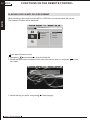
FUNCTIONS ON THE REMOTE CONTROL
ENG 41
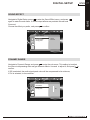
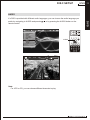
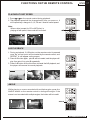
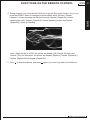
Repeat:
[ Repeat 1 ]
Note: When the disc is a DVD, the options are Repeat: [Off], Repeat: [Chapter] and
Repeat: [Title]; for other discs, the options are Repeat: [Repeat 1], Repeat: [Repeat Dir] ,
Repeat: [Repeat All] and Repeat: [Repeat Off].
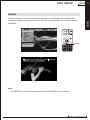
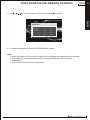
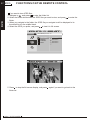
5. Press
to stop the playback, and press
again if you want to go back to the folder list.
MOB IL E ENTERTAINMENT
DVD
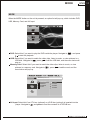
4. During playback, you can press the A-B button to get the A-B repeat function. Or, you can
press the REPEAT button to change the repeat modes, which includes Repeat:
[ Repeat 1 ] means repeating the clip that is playing; Repeat: [ Repeat Dir ] means
repeating the folder; Repeat: [ Repeat All ] means repeating the disc; and Repeat:
[ Repea t Off ] means no repeating.