1
20 ENG
SYSTEM SETUP
DVD
OPTION
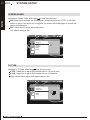
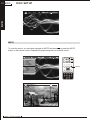
When the OPTION button on the unit is pressed, an option list will pop up, which includes the
settings of IR Headphone, Display, Setup, Disc Menu, Information, Mute, Audio, Subtitle,
Repeat, and Zoom.
/
/
IR Headphone
Display
Setup
Disc Menu
Information
Mute
Audio
Subtitle
Repeat
Zoom
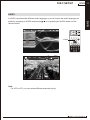
IR HEADPHONE
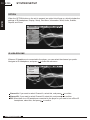
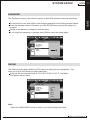
When an IR headphone is connected to the player, you can select the channel you prefer.
Navigate to IR Headphone, and press
to enter the sub-menu.
/
/
Channel A
Channel B
Off
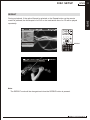
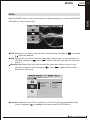
Channel A: If you want to select Channel A, select this, and press
to confirm.
Channel B: If you want to select Channel B, select this, and press
to confirm.
Off: When there is no IR headphone connected to the player or you want to turn off the IR
headphone, select this, and press
to confirm.
MOB IL E ENTERTAINMENT