1
English
CONTROLS
Supplied Accessories:
1 x headphones HE035
1 x AC/DC adapter AY3162 (not for all versions)
CONTROLS
$ 4.5V DC ...............jack for external power supply.
% .............................typeplate
POWER SUPPLY
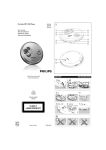
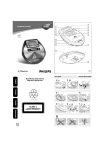
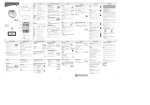
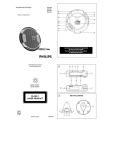
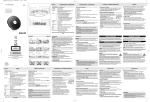
CONTROLS ( see figure 1)
1 VOLE .........adjusts the volume.
2 OPEN 2.............opens the CD lid.
3 9 ........................stops playback/clears programmed tracks/ switches off the
set.
4 MODE ................selects playback options (e.g. SHUFFLE, REPEAT).
5 -/+ ....................MP3 only: skips forward/backward albums.
6 PROG .................programs tracks and reviews the program.
7 ...........................display
8 2;......................switches the player on, starts playback and pauses playback.
9 EQ ......................selects from 4 different equalization settings
0 ∞ /§................skips and searches tracks backward/forward.
! ESP ....................selects between the battery powersave mode and Electronic
Skip Protection (ESP). ESP prevents playback interruptions
caused by shocks.
@ OFF.....................switches HOLD off.
HOLD .................locks all buttons.
# p / LINE OUT....3.5mm headphone jack;
jack to connect the player to another audio input of an
additional appliance.
This set complies with the radio interference requirements of the
European Union.
POWER SUPPLY
Power adapter (supplied or optionally available)
Only use AY3162 adapter (4.5V/450mA DC, positive
pole to the center pin). Any other product may damage
the player.
1 Make sure local voltage corresponds to the power
adapter's voltage.
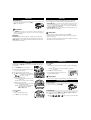
2 Connect the power adapter to the 4.5V DC socket of
Batteries (not included)
Inserting AA (LR6, UM3) batteries
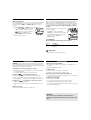
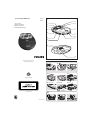
1 Open the battery compartment.
2 Insert 2 x AA batteries as shown into the battery
compartment.
3 Close the battery compartment.
2.
1.
Helpful Hints:
– Old and new or different types of batteries should not
be combined.
– Remove batteries if they are empty or if the player is not going to be used for a
long time.
Battery indication
The battery level is shown in the display screen as follows:
Battery usable
Battery empty
Average playing time of batteries under normal conditions
Battery type
Power Save
Audio CD
MP3-CD
Alkaline AA
18 hours
28 hours
Batteries contain chemical substances, so they should be disposed of properly.
GENERAL INFORMATION
ENVIRONMENTAL INFORMATION
• All redundant packing material has been omitted. We have done our utmost to
make the packaging easily separable into two mono materials: cardboard (box)
and polyethylene (bags, protective foam sheet).
• Your set consists of materials which can be recycled if disassembled by a specialized company. Please observe the local regulations regarding the disposal
of packing materials, dead batteries and old equipment.
the player and to the wall socket.
Helpful Hints:
– Always disconnect the adapter when you are not using it.
GENERAL INFORMATION
CD player and CD handling
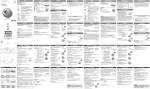
• Do not touch the lens A of the CD player.
• Do not expose the unit, batteries or CDs to humidity, rain, sand or excessive heat (caused by heating
equipment or direct sunlight).
• You can clean the CD player with soft, slightly
dampened, lint-free cloth. Do not use any cleaning
agent as it may have a corrosive effect.
• To clean the CD, wipe it in a straight line from the center toward the edge
using soft, lint-free cloth. The cleaning agent may damage the disc! Never
write on a CD or attach a sticker to it.
• The lens may cloud over when the unit is moved suddenly from cold to warm
surroundings. In that case, playing a CD is not possible. Leave the CD player in
a warm environment until the moisture has evaporated.
• Active mobile phones in the vicinity of the CD player may cause malfunctions.
• Avoid dropping the unit as this may cause damage.
– Apparatus shall not be exposed to dripping or splashing.
– Do not place any sources of danger on the apparatus
(e.g. liquid filled objects, lighted candles)