1
SELECTING A TRACK AND SEARCHING
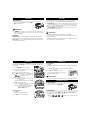
Selecting and searching on all discs
Selecting a track
• Briefly press ∞ or § once or several times to skip
to the beginning of the current, previous or subsequent track.
• In the pause/stop position, press 2; to start playback.
➜Playback starts with the selected track.
Searching for a passage during playback
1 Press and hold ∞ or § to find a particular passage in a backward or forward
direction.
➜Searching starts while playback continues at low volume. After 2 seconds the
search speeds up.
2 Release the button when you reach the desired passage.
➜Playback continues from this position.
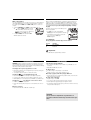
Selecting on MP3 CDs
To find a MP3 track, you can first press - or + to select
your desired album.
Selecting an album
•Hold down or press - or + repeatedly until you find
the desired album number.
•In the pause/stop position, press 2; to start playback.
➜The first track of the selected album plays.
Helpful Hints:
SELECTING DIFFERENT PLAYING POSSIBILITIES − MODE
Your selected play mode is indicated by
,
,
or
1 Press MODE once or more during playback to activate one of the following.
– repeat: The current track plays repeatedly.
– repeat all: All tracks of the disc/program play
repeatedly.
– repeat album (for MP3 CDs only): All tracks of
the current album play repeatedly.
– scan: Each track in the disc plays 10 seconds
in sequence.
– scan album (for MP3 CDs only): Each track in the current album plays 10
seconds in sequence.
– scan prog Each track in the current program
plays 10 seconds in sequence.
– shuffle: All tracks of the disc play in random
order once.
– shuffle all: All tracks of the disc play in random order repeatedly.
– shuffle album (for MP3 CDs only): All tracks of the current album play in
random order once.
➜ Playback of selected mode starts with the next track.
2 To return to normal playback, press MODE repeatedly until the mode cursors
disappear.
Helpful Hints:
– When the program or shuffle mode is active, use of the - or + keys are void.
– In shuffle modes, press § to select another track or press ∞ to return to the
beginning of the current track.
PROGRAMMING TRACKS
PROGRAMMING TRACKS
You can store up to 64 tracks to play in a program. A single track may be stored
more than once in the program.
For an audio CD:
1 In the stop position, press PROG to activate programming
➜ The display shows 00 P- 01, with 00 flashing
➜
appears above PROG.
2 Select a track by pressing ∞ /§.
3 Press PROG to store the track.
➜ P- 02 appears and 00 flashes for you to program
the
next track.
4 Select and store all desired tracks in this way.
5 Press 2; to start playback of your selected tracks.
➜Playback starts, with
above PROG.
For a MP3 CD:
1 In the stop position, press PROG to activate programming.
➜ The display shows 000 00 P- 01, with 00 flashing
➜
appears above PROG.
2 Select an album by pressing ∞ / §.
3 Press PROG to store the album.
➜ 000 flashes for you to program a track within the
album.
4 Select a track by pressing ∞ /§.
5 Press PROG to store the track.
➜ The display shows 000 00 P- 02, with 00 flashing..
6 Repeat steps 2-5 to store other desired albums and tracks.
Helpful Hints:
– During programming, if no action is executed within 10 seconds, programming
will stop automatically.
– If you try to store more than 64 tracks, no track can be selected and the stored
tracks are displayed.
To clear the program
• Press 9 :
– Once, if in the stop position
– Twice, during playback.
➜The
above PROG disappears.
Helpful Hints:
– The program will also be cleared if the power supply is interrupted, or if the
player lid is opened, or if the set switches off automatically.