1
DECT511_GBIE_part1_indice2_internet.qxd
26/10/2004
14:00
Page 2
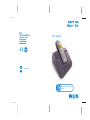
DECT 511/DECT 515
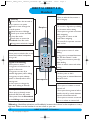
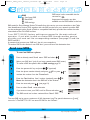
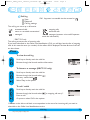
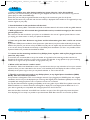
Handset
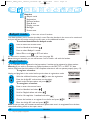
Pilot key
Press to enter the carousel or
select a menu or an option
Scroll to move through the
menus & options
Move the cursor left/right
Scroll up to access the Call
Log from idle mode
Scroll down to access the
Phonebook from idle mode
A long press to unlock the keypad
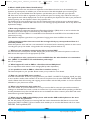
Talk
- Press to take the line, answer a
call or hang up.
Earpiece
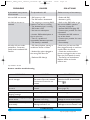
Do not disturb & case mode
- Short press to insert # when
dialling
- Long press to activate/deactivate
the “Do Not Disturb” mode
- Long press to insert a pause (P)
when dialling
- Press to switch case mode when
editing
Loudspeaker*
- Short press to take the line or to
activate the handset loudspeaker
during a call
Keypad lock & Editing
- Short press to insert *
- Long press to lock/unlock the
keypad in idle mode
- Long press to insert R (in
between-digit pause) when dialling
- Long press to enter multitap
system or Eatoni® editor when
entering text
- A short press to change the
letter when editing in Eatoni®.
SMS key
- Short press to directly access
Send new SMS from idle mode
- Short press from the Phonebook
or the Call log menu to edit an SMS
Clear/Recall
- To correct a digit when predialling
or a character when editing
- Short press to go back one menu
when navigating
- Long press to return to idle
mode when navigating
- To insert R for operator services
when on line
Microphone
Alarm clock
- A short press to dial 0
- A long press to activate/deactivate
the alarm clock
Call transfer/Intercom
- Short press to initiate or cancel
internal call
- Short press during internal call to
transfer the call or switch between
internal call and External call
- Short press to answer an internal
call or to release an internal call
*Warning : Handsfree activation could suddenly increase the volume in the earpiece to a very
high level. Make sure the handset is not too close to your ear.
DECT 511/DECT 515 handset
2
http://www.philips.com/faqs/dect