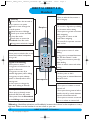
1
DECT511_GBIE_part1_indice2_internet.qxd
26/10/2004
14:00
Page 2
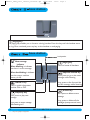
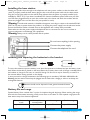
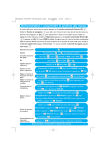
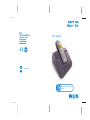
base station
Paging key
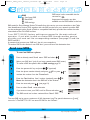
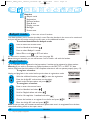
The paging key enables you to locate a missing handset. Press the key until the handset starts
to ring. Once retrieved, press any key on the handset to end paging.
base station
Loudspeaker
New message
indicator
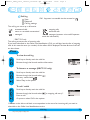
When blinking, it indicates
that there is a new message.
Paging key
Press to locate all handsets
When fast blinking, it indicates
that the answer machine
memory is full.
Skip/Fast forward key
Short press to go to the next
message while listening
ON/OFF key
Press to switch the answer
machine ON or OFF
Long press to fast forward the
current message while listening
Play/Stop key
Short press to play new
message
Short press to stop a message
while listening to it
Delete key
Short press to delete current
message
Long press to delete all the
messages (except unread ones)
DECT 511/DECT515 base stations
4
http://www.philips.com/faqs/dect