1
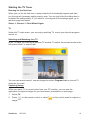
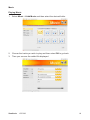
Starting the TV Tuner Running for the first time When you run for the first time, a setup wizard will automatically appear and take you through all necessary setting step by step. You can just follow the dialog box to complete the setting easily. IF you want to re-configure all the settings again, go to the main page and select Select General Run Wizard Again TV Under the TV main menu, you can enjoy watching TV, record your favorite program and so on. Selecting and Watching Live TV In the TV page, you can see a preview TV window. To switch the preview mode to the full-screen mode, to select Live. You can use remote control, numeric keypad or select Program List to choose TV channels you want. Capturing Image While you watch TV or record video from your PC monitor, you can use the application to capture images for your document, presentation or web page. 1. Select TV. 2. Press on the remote control or select on the control panel to capture a image. ViewSonic VPC220 16