1
7 Adjust sound
1 Important
4
Safety
Notice
4
4
2 Your car audio system
Introduction
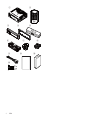
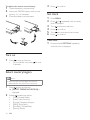
What’s in the box
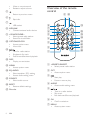
Overview of the main unit
Overview of the remote control
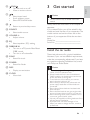
3 Get started
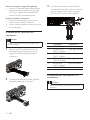
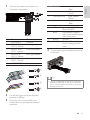
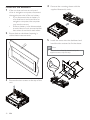
Install the car audio
Install remote control battery
Turn on
Select country/region
Set clock
4 Listen to radio
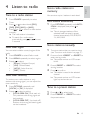
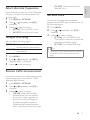
Tune to a radio station
Store radio stations in memory
Store stations manually
Tune to a preset station
5 Play with RDS
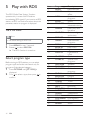
Turn on RDS
Select program type
Select alternate frequencies
Receive traffic announcement
Set RDS clock
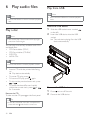
6 Play audio files
Play a disc
Play from USB
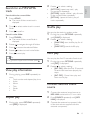
Search for an MP3/WMA track
View play information
Repeat play
Shuffle play
Intro play
Connect external sound source
5
5
5
7
8
9
9
13
14
14
14
20
Adjust volume
Mute
Turn DBB and subwoofer on/off
Select preset equalizer
Other sound settings
20
20
20
20
20
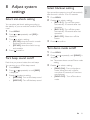
8 Adjust system settings
21
Select anti-shock setting
Turn beep sound on/off
Select blackout setting
Turn demo mode on/off
Reset
21
21
21
21
22
9 Additional information
22
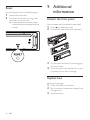
Detach the front panel
Replace fuse
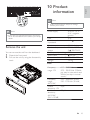
Remove the unit
22
22
23
10 Product information
23
11 Troubleshooting
24
12 Glossary
25
15
15
15
15
15
16
16
16
17
17
17
18
18
18
19
19
19
19
19
19
EN
3
English
Contents